Job site photo app
Work photos organized by job, not lost in the camera roll.
Read the guide

GPS Timestamp Camera & Reports
Stamp the date, time and location on your work photos, keep them together by job and turn them into PDF reports.
The stamp camera, your job folders and the finished PDF report.
One payment, yours for life. Buy securely with Stripe, install it from this site, and sign in with the same email on any of your Android phones.
Businesses that need a dated photo record of the work they do.
Progress photos at every stage, from demo to handover, filed by job and sent to the homeowner as a progress or completion report.
Photograph each finding with a note, the time and the address, label the report with an inspection or claim number, and send it from site.
Property condition, move-in, move-out and maintenance photos, dated and kept with the property they belong to. Share a PDF photo record with owners, tenants or clients.
Before and after photos of every clean, with the time on them, so clients can see the work and when it was done.
Photos from every visit, with the address and a map on each one, collected by property for the season.
Photos of the equipment, the repair and the finished job, with the work order number on the report.
From the first photo to a sent report, without leaving the site.
Get lifetime access with a single payment through Stripe. Your purchase is saved to your email.
Download Job Stamp from this site and open the file. Android asks once to allow installs from your browser.
Enter the email you bought with and the 6-digit code we send you. Job Stamp unlocks straight away.
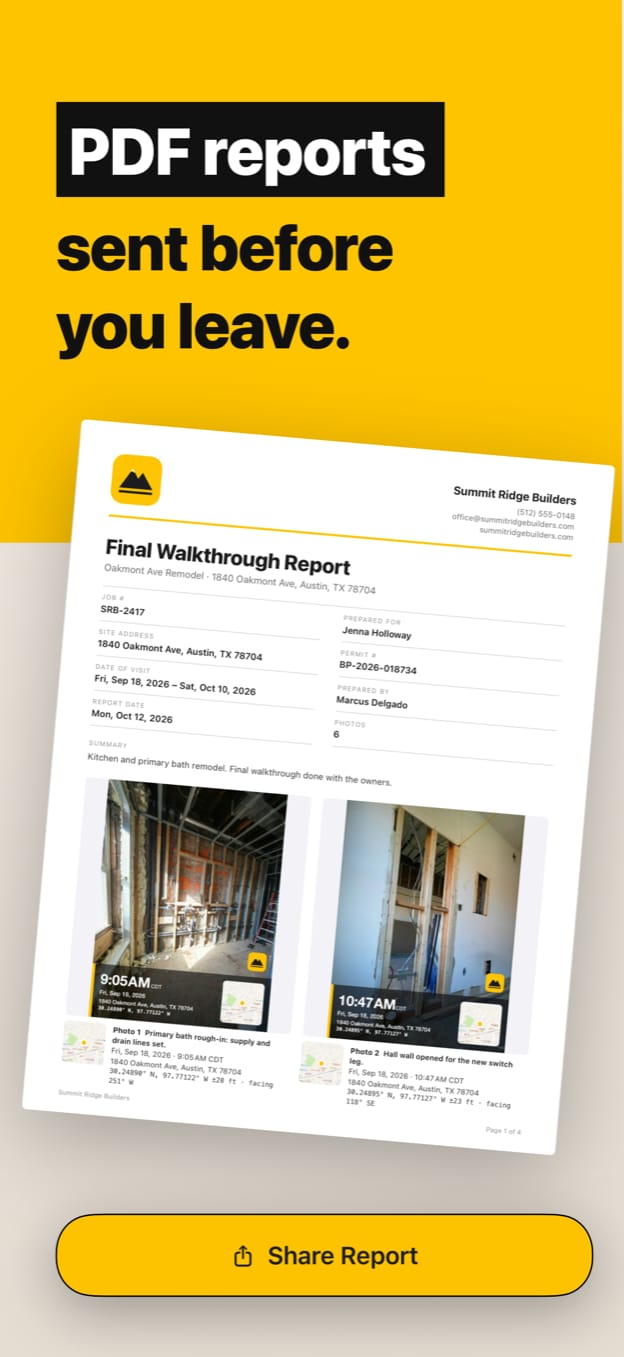
Pick the job, take stamped photos, add notes and send the PDF photo report before you leave the site.
Why people choose JobStamp: Work Photos for Android.
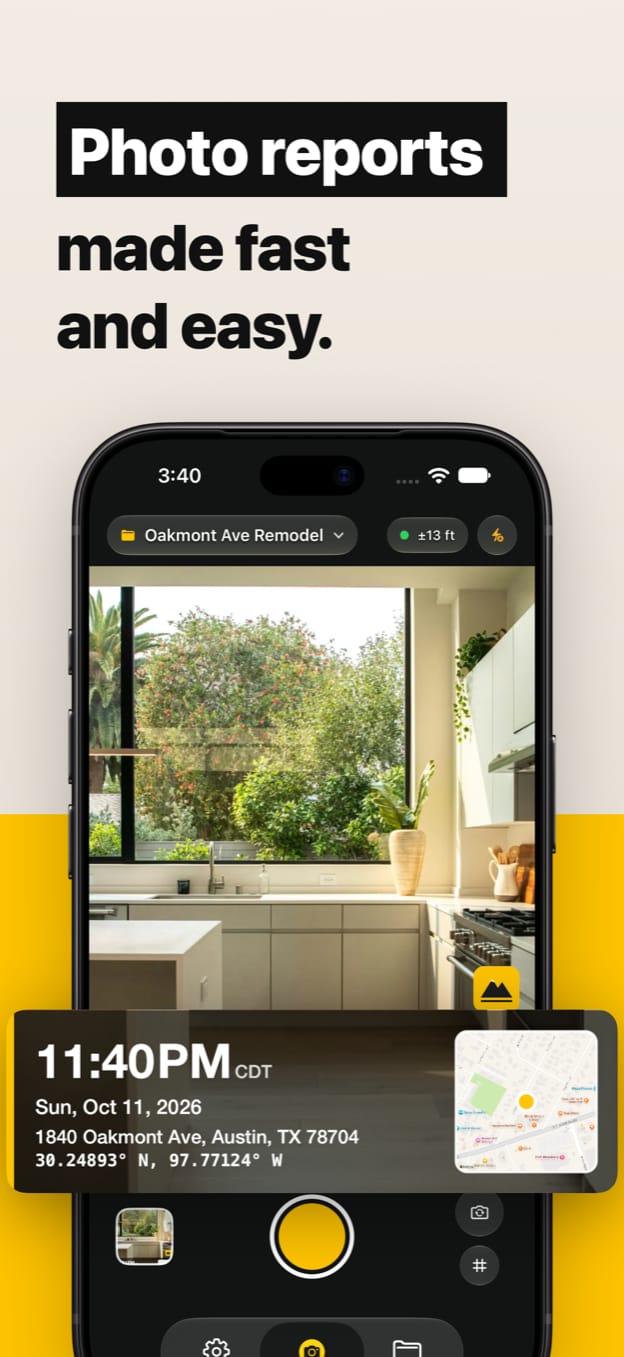
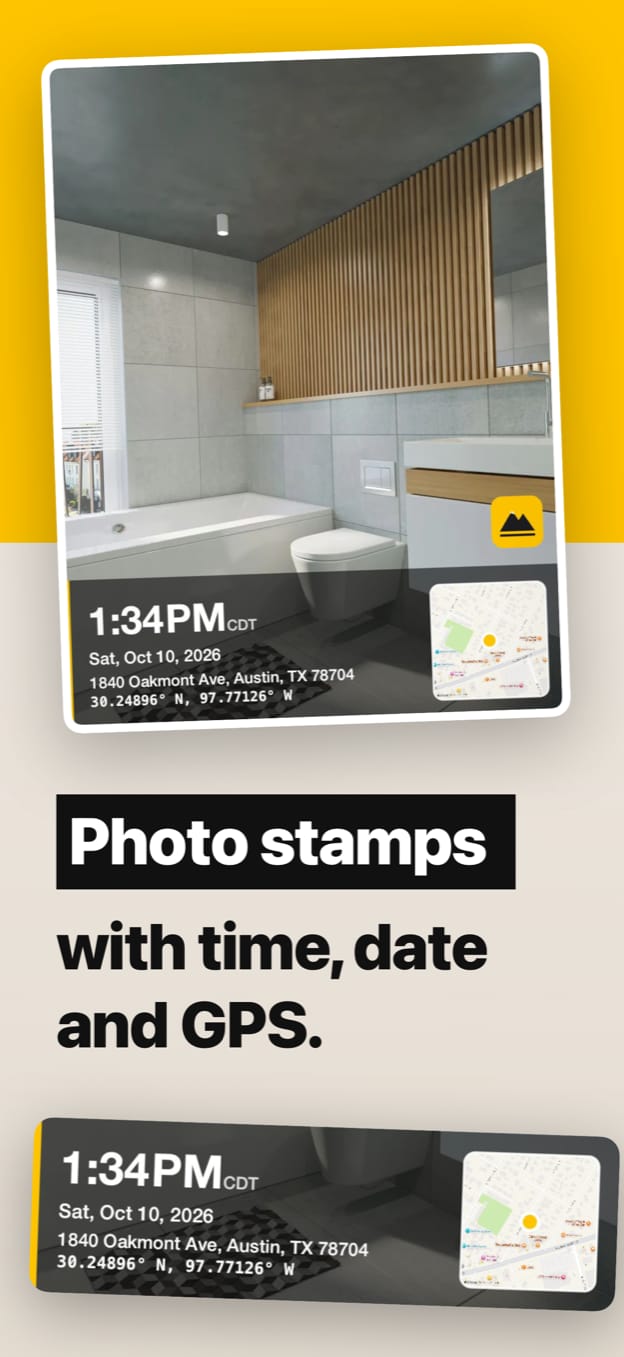
You see the stamp in the viewfinder before you take the shot, and it’s drawn onto the photo at full resolution. Date and time with the time zone, street address and GPS coordinates.
Add a mini map with a pin where you stood, plus altitude, GPS accuracy and the compass direction the camera faced.
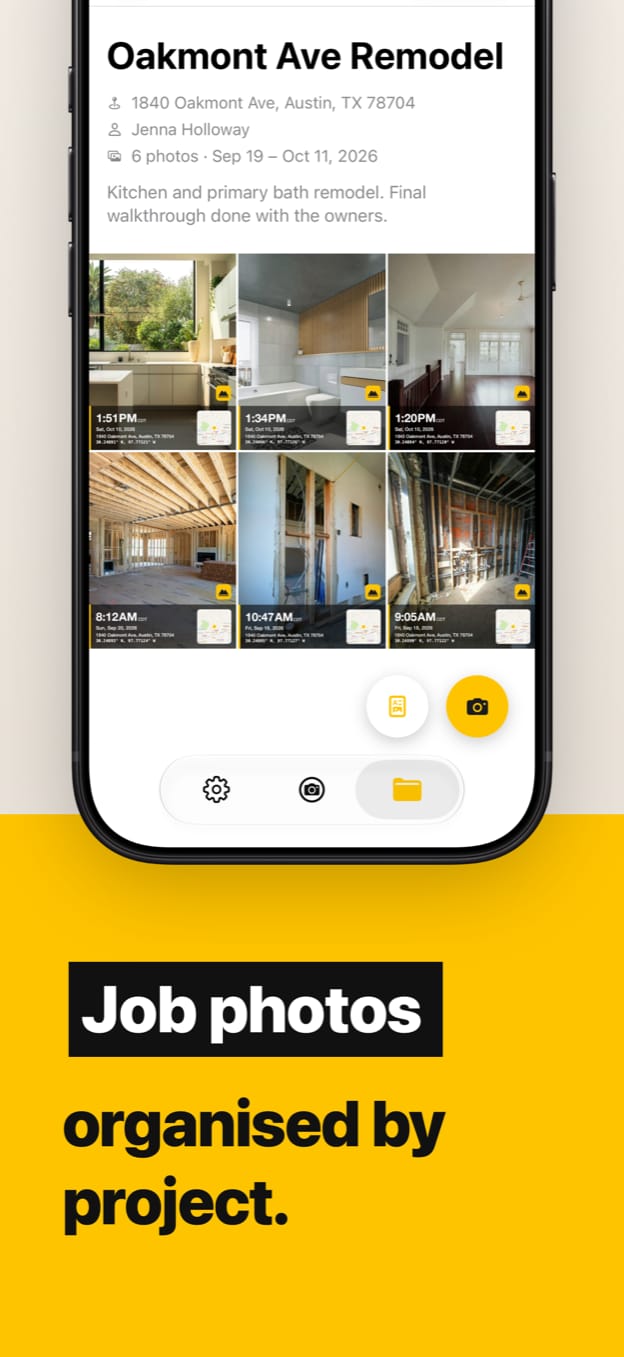
Every shot goes into the job you’re working on, with its client, site address and notes. Search jobs by name, client or address, and move photos between jobs.
Your letterhead, job details, a summary and the photos with their captions, 1 to 9 per page. Add a permit, claim or work order number and sign-off lines, then share the PDF by email, text or any app.
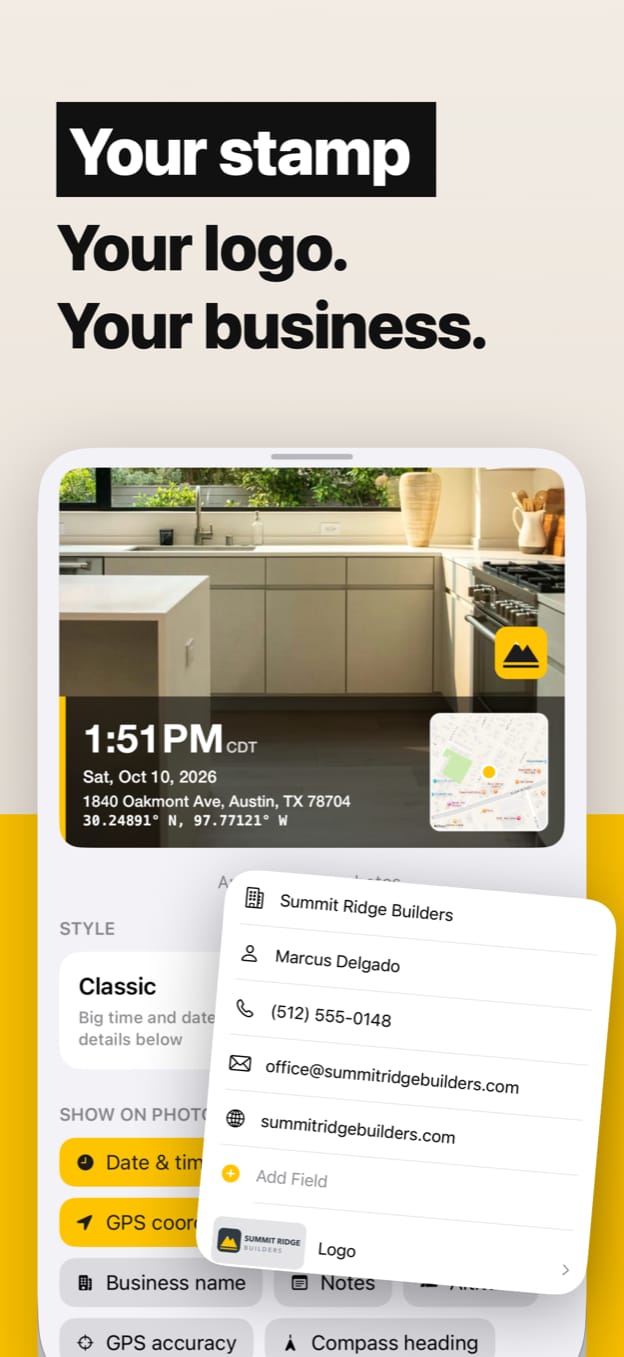
Put your logo, business name and brand color on every stamp and report, so every photo you send carries your business.
Classic, Banner, Field Card, Minimal and Big Date. Choose exactly which details show, the date format, 12 or 24-hour time, feet or meters, and decimal or degrees-minutes-seconds coordinates.
Write what the photo shows, like “supply lines set” or “crack above door frame”. Notes print on the stamp and in the report captions.
Import from your photo library into a job. Job Stamp reads the date and location saved in the photo and stamps it, marked as imported.
Photos stay in Job Stamp on your Android phone, and a stamped copy can go straight to your gallery.
Photo records and photo reports for the work you do.
Work photos organized by job, not lost in the camera roll.
Read the guideExisting conditions, progress and finished work, on record.
Read the guideA branded PDF from a job’s photos, made on site.
Read the guideEvery stage of a build, dated and organized by project.
Read the guideSite, property and move-out inspections, and claims.
Read the guideDated before and after photos for cleaning, landscaping and service.
Read the guideDate, time, address and a map printed on each photo.
Read the guideQuick answers to the questions people ask before downloading.
Get Job Stamp for Android: dated, located work photos organized by job and sent as PDF photo reports. Pay once and keep it for life.
Sold directly by Axius Apps for Android phones · Privacy Policy · Terms of Use